



Sep 28 2026
Management

Device Management Without the IT Headcount

Three businesses rely on automation, management tools and outside services to manage computers and mobile devices, from purchase through disposal.

When new BuildOps employees arrive on their first day, they find their laptops ready and waiting at their desks. Software automates technical onboarding and configures their devices so the IT department doesn't have to touch them.

The human resources department activates the new employees in the HR system. Scripts automatically create their email and required application accounts, as well as credentials through Okta, the company's identity and access management software.

By the time the new hires power on their notebooks, get online and log in, the company's mobile device management software has provisioned the computers with all the software and settings they need to perform their jobs.

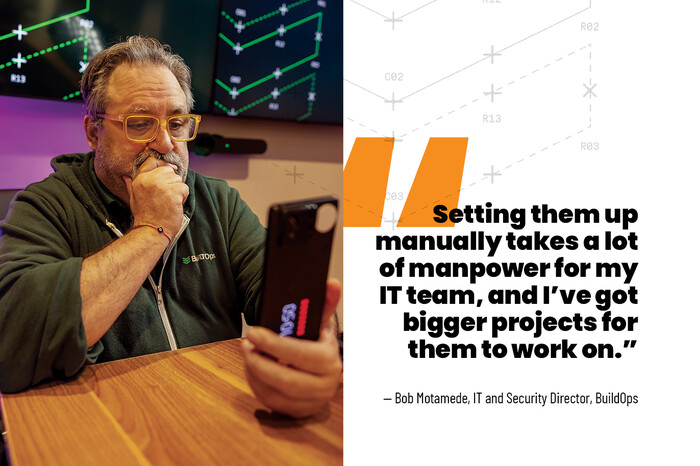
"We try to automate all of it, because setting them up manually takes a lot of manpower for my IT team, and I've got bigger projects for them to work on," says Bob Motamede, the company's IT and security director.

Click the banner below to learn more about elevating your organization's workspace. 


For small and midsize businesses, employee devices are long-term investments that must be purchased, provisioned, secured, updated and patched, and eventually wiped and securely disposed of at their end of life. IT departments must manage the devices' entire lifecycle, all with lean teams and tight budgets. Software solutions such as unified endpoint management (UEM) or mobile device management (MDM) platforms simplify the work and make it more efficient. When the time comes for disposal, electronics recycling serv­ices are commonly available, with many formal programs to choose from, says Bob O'Donnell, president and chief analyst at TECHnalysis Research.

"Device management tools have been pretty mature for several years now, and the IT asset disposition process has been around a long time as well," he says. "All of it keeps getting refined."

Companies that choose to lease devices or turn to Device as a Service offerings enjoy the additional benefits of shifting the full lifecycle — from configuration and management to help desk support and disposal — to a third party.

REVIEW: Limited-time deals on hardware and peripherals for small businesses.

Zero-Touch Provisioning Simplifies Device Set-Up

BuildOps, an AI-native platform for commercial contractors, equips its employees primarily with MacBook Pro and MacBook Air devices. A small number use Windows laptops, while some also use Apple iPad devices for implementation work and client demonstrations.

A lean IT team is responsible for all company-issued devices across multiple locations and relies heavily on automation to perform most of the heavy lifting, from configuration to software updates and patches, Motamede says.

The touchless process begins at purchase. When IT orders MacBooks from CDW, for example, the technology solutions provider enrolls the devices in BuildOps' Apple Business account, which establishes the company's ownership for each machine and secures against theft before enabling automatic provisioning.
Apple Business integrates natively with BuildOps' MDM solution, which connects to Okta for identity and access management. CDW ships laptops directly to employees at the company's headquarters in Los Angeles or to offices in San Francisco, Toronto and Raleigh, N.C. When workers log in to their laptops for the first time, the MDM automatically loads a blueprint, a role-based profile that installs any necessary software and applies the security settings required for their jobs.

Standard applications such as Google Workspace, Slack and Zoom are installed automatically, while a self-service window allows employees to add approved software such as Microsoft Office, Motamede says.

The IT department also sets security policies in the MDM. International contractors are blocked from using BuildOps' internal AI search tool, which contains sensitive company data, and junior employees lack administrative rights and must ask IT to install software. 

DISCOVER: Learn how to secure remote devices with modern management tools.

Because a new MacBook requires an Okta login, a stolen laptop is useless to a thief. When a device goes missing, IT relies on its MDM to remotely lock and wipe it. The MDM also helps with ongoing management, such as pushing OS updates automatically during off-hours or prompting users to install app updates with a click.

"Most of it is automated," Motamede says. "If there's an issue, my team gets involved."

IT administrators still give new hires an orientation. For support, Motamede funnels all help desk requests into a Slack channel. An AI agent resolves most issues. When it can't, a technician steps in.

BuildOps replaces laptops for the engineering team every three years and runs all others on a five-year replacement cycle. The MDM tool handles asset management and alerts staff when devices reach the end of life.

BTSMBQ326_Feature_Wong_Quote.jpg


Security Drives Law Firm’s Refresh Cycle 

Pressler, Felt & Warshaw, a Parsippany, N.J.-based law firm focused on debt collection, typically replaces its Lenovo laptops and all-in-one desktops every three years to maintain security and performance.

The firm's hybrid workforce of 375 employees includes about 150 full- and part-time remote staffers who rely on Lenovo ThinkPad X1s to do their work. A few software developers use more powerful Lenovo Legion notebooks.

Most in-office staff use Dell Wyse thin clients that connect to Microsoft's Remote Desktop Services, so there are no computers to refresh there; however, about 15 in-office employees use Lenovo desktops.

Performance is another factor ­dictating the three-year cycle: "Technology has advanced so far in such a short period of time that the ­all-in-ones or laptops we bought during COVID are obsolete. They are too slow," says Gerardino Di Popolo, the firm's IT director. To provision laptops, he wipes them and pushes a preconfigured image over the network and install the firm's proprietary software, Microsoft Office and CrowdStrike for endpoint protection. 

55%

Percentage of organizations using cloud-based unified endpoint management software; 45% deploy on-premises solutions

Source: Fortune Business Insights, Unified Endpoint Management Market Size, Share & Industry Analysis, June 1, 2026

The firm plans to migrate to Microsoft Intune this summer to gain more robust support for Windows but will keep ManageEngine as part of its help desk and ticketing system. For asset management, the team relies on CrowdStrike, which shows whom devices are issued to and what software is installed.

Security remains a top priority for the firm due to the nature of its work, dealing heavily in personally identifiable information. Older laptops or desktops introduce more vulnerabilities, he says, so they retire devices on a three-year cycle, in line with the equipment's three-year warranties.

"The risks outweigh the rewards of keeping any of these products longer than we should," Di Popolo says. "In the end, laptops don't cost that much compared with the risk of having a security incident that could wipe everything out completely."

UP NEXT: The benefits of centralized management of peripheral devices.

Should Companies Buy or Lease Endpoint Devices?

APS Grupa, a food ingredient processing and repackaging company, decides whether to buy or lease its computers, and how often to refresh them, based on whether they’re used in the office or on the floor of its 24/7 manufacturing facility.

The Chicago-based company provides its 250 employees with HP and Lenovo computers, half of which are desktops and the other half laptops. APS Grupa leases the computers used on the factory floor, about 30% of its total, and buys the rest for the office, says Alex Alia, the company’s senior manager of IT.

Office desktops and laptops typically last five years, but Alia puts the leased factory computers on a three-year refresh cycle due to the plant’s wear-and-tear environment, he says: “There’s product buildup and dust. It’s just better to get them refreshed sooner.”

Click the banner below to get small business insights delivered to your inbox weekly.


APS Grupa buys its computers from CDW. For orders of 10 or more, Alia sends a system image that CDW loads onto the devices before shipping them directly to employees in multiple states. The image includes Microsoft Office, a VPN, anti-virus software and proprietary applications. For smaller orders, the IT staff images everything in-house.

The company uses Microsoft Intune to install software updates and manages 50 to 75 company smartphones (mostly Apple iPhones) with a separate MDM tool. Alia buys three-year warranties for all company-owned computers, which cover onsite repairs.

At the devices’ end of life, Alia wipes them, marks them out of service using an asset management tool and repurposes, donates or recycles them. Rising prices have forced Alia to extend the life of some computers longer than what the company has historically followed. As memory and storage costs climb amid a global shortage, the company has purchased leased computers as their leases expire, allowing the team to keep them in service for another year.

“It’s tough to get computers with the price of memory and storage drives skyrocketing,” Alia says. “We decided to keep these another year and see how the market goes.”

Christina Gandolfo
Close

New Research from CDW Explores AI and Cybersecurity

Learn how AI is helping IT teams manage risk and improve resilience.