



Jul 16 2026
Security

Device Management Tools Enable Small Businesses to Streamline IT Operations

Unified endpoint management automates device provisioning, enforces security policies and manage devices at scale.

In 2018, Patrick Weber was attending a Chicago Bears game with his old friend Steven Galanis when football talk turned to IT. The two grew up together, so Weber had a front-row seat as Galanis built Cameo, a video startup, into a successful company that connects fans with celebrities.

When Galanis launched Cameo the previous year, Weber offered — with a bit of bravado — “Call me when you have 20 employees. Then you’ll need my help.” Weber, who had previously managed roughly 13,000 devices at a school district, was an IT consultant in the San Francisco Bay Area at the time.

By early 2019, Cameo had hit that 20-employee milestone and needed to centralize its IT operations. The company had the basics in place: company-issued MacBook laptops, the beginnings of a corporate iPhone rollout and a Google spreadsheet for tracking hardware. Cameo was ready to take the next step: bringing in someone to own IT.

Click the banner below to get BizTech’s small business insights delivered to your inbox.


Weber came aboard as the company’s first IT adviser and focused on managing employee devices. That first week, he deployed Jamf Pro, an endpoint management tool, and enrolled all company devices to get a clear picture of what hardware and software was in use. To bolster security, he used Jamf to enforce full-disk encryption and deployed screen locks on all laptops.

“I thought, ‘I don’t know what year or model your laptop is, and I’m not going to walk around with a notebook and write down serial numbers,’” says Weber, now senior vice president of IT and security. “Let’s just get mobile device management in place, get everyone managed and then start understanding what I need to do to fine-tune.”

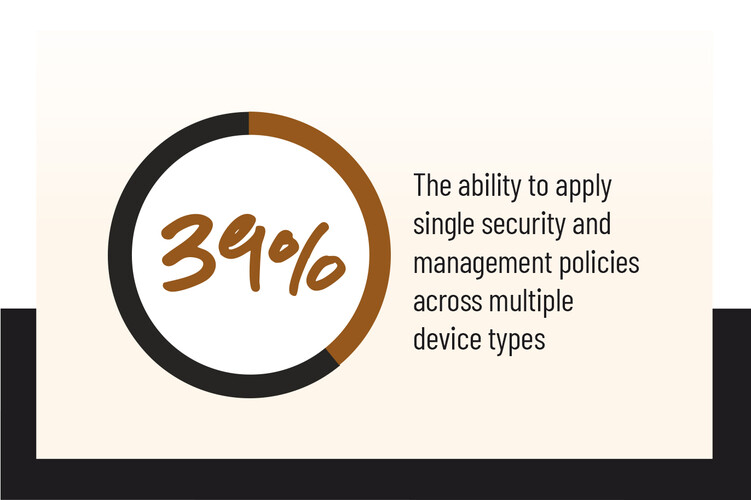
MDM has evolved into unified endpoint management (UEM) software and is especially valuable for small businesses that may only have one IT person, says Forrester analyst Michele Pelino. Today’s cloud-based tools allow businesses to configure, secure and monitor every endpoint — smartphones, tablets, laptops and desktops.

GO DEEPER: Find out if your organization is ready to adopt continuous threat exposure management.

How MDM Evolved Into Unified Endpoint Management

Cloud-based UEM tools let smaller companies easily add devices as the business grows and pay only for what they use. The tools are also critical for managing remote workers’ devices and supporting bring-your-own-device programs. Solutions include Microsoft Intune, Omnissa Workspace ONE, NinjaOne and Samsung Knox Suite.

Besides remote-wipe capabilities, UEM software can automate tasks and enforce security policies, including over the applications employees can install.

“These solutions reduce the IT management requirements and simplify that with things like intuitive dashboards and automated patching or policy enforcement,” Pelino says.

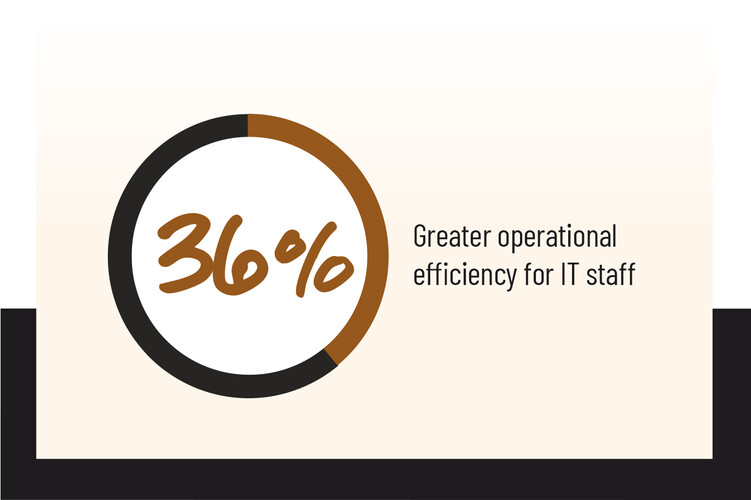
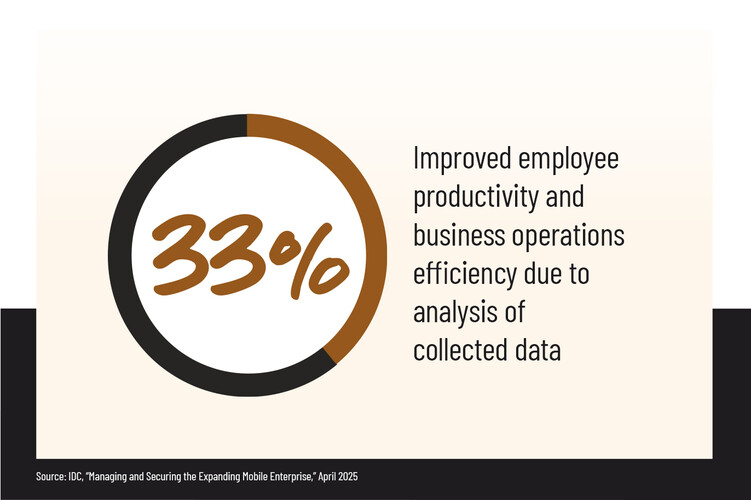
UEM tools also capture telemetry data that helps IT staff see where devices are having connectivity or update issues, understand which locations or device types are affected, and troubleshoot those problems, she says.
How Cameo Secures Devices and Data With Jamf

Weber now manages security for Cameo’s employees and contractors, most of whom work from the company’s Chicago headquarters while others are remote. The startup allows fans to purchase personalized video greetings from celebrities for birthdays, anniversaries and other occasions, and helps businesses book celebrities for marketing campaigns.

Security is paramount,” Weber says. “It’s brand confidence. Cameo is Cameo because our celebrities and fans have confidence our employees will protect their information.”

The company standardizes mostly on Apple devices. The Jamf platform gives Weber a single console to configure devices, enforce security policies, deploy software and push updates.

Engineers get high-end MacBook Pro machines as well as iPhone devices for testing. Talent teams are equipped with MacBook Air machines and iPhone devices, and in the office, they use Apple TVs. “We use streaming services to keep up with the cultural zeitgeist and find the next new celebrity,” Weber says.

Weber pairs Jamf with Apple’s free portal for creating managed company Apple IDs. He uses Jamf to enroll the Apple devices, enforce critical security benchmarks on MacBooks, deploy a standard set of software on every device, and keep them patched and up to date.

Patrick Weber, Cameo
Cameo is Cameo because our celebrities and talent have confidence that we're going to protect their information."

Patrick Weber Senior Vice President of IT and Security, Cameo

He monitors daily email reports that flag out-of-compliance devices. “A significant decrease in active device check-ins clearly signals that something in Jamf requires attention,” he says.

For routine updates, Weber gives employees seven days to install patches before devices update automatically. But when critical vulnerabilities emerge, he requires patching on an accelerated time frame. The IT team monitors an internal Slack channel fed by vendor RSS feeds for urgent security bulletins.

“For the real nasty ones, we set it to update the moment the device checks in,” Weber says.

Cameo also uses Jamf Protect, the platform’s endpoint security tool for Macs, which monitors for malicious activity and blocks suspicious applications. If Jamf Protect discovers a malicious app, it quarantines it until Weber’s team can investigate.

Overall, Weber, a frequent speaker at the Jamf Nation User Conference, views device management as foundational. “MDM is a must-have, not a nice-to-have,” he says.

READ MORE: Ask these five questions about security debt for small businesses.

How Dorsia Streamlines Employee Onboarding

Eron Prosper joined Dorsia as its IT manager nearly two years ago. The startup initially relied on a managed-service provider to handle IT and device management, but as the company quickly scaled operations, executives decided it was time to go in-house. One of Prosper’s first projects: Find a new UEM solution to manage devices for about 75 employees.

The fast-growing company operates a premium, membership-based app that provides access to hard-to-get restaurant reservations and exclusive events in major U.S. and international cities. Most employees work in its Miami or New York offices, but it also has staff in Europe and South America.

After testing several solutions, Prosper chose Kandji’s UEM tool, now rebranded as Iru, for its intuitive interface and drag-and-drop ease of use. The tool allows him to quickly onboard new employees and manage devices for a distributed workforce.

He enrolled employees’ Apple MacBook machines and iPhone devices into Iru and created profiles with the software and settings employees need. Now, when Dorsia onboards new hires or provisions new devices, everything automatically installs at sign-in.

Prosper doesn’t need to touch the devices, he says: “Once they get their device and sign in, everything starts autoloading.”

Click the banner below to find out how one small business improved its security.


For engineers, Prosper created group-specific rules that automatically install development tools, coding repositories and testing software. “It’s more streamlined onboarding. People can kind of jump into the work on day one,” he says.

He also uses the tool to manage shared devices. When Dorsia works on high-profile events, such as Coachella and Miami’s Art Basel, he provisions a fleet of about 20 iPhone devices for staff to check in guests and coordinate event operations.

DISCOVER: Multi-agent systems can support small businesses.

Iru maintains a library of preconfigured applications, including tools not in Apple’s App Store. It automatically pushes software updates to devices, eliminating manual software management. The solution also provides vulnerability monitoring that flags unfamiliar software or anomalies, which Prosper then reviews.

While the company mostly uses Apple devices, it has a few Windows laptops. Iru recently added Windows device management capabilities, so Prosper plans to enroll them soon.

“It’s important, especially for a smaller IT team, to try to automate as much as possible,” he says. “It would be impossible for me to do an effective job if we didn’t have some type of management system. It allows me to keep track of everything and automatically add software for people without having to jump through too many hoops.”

Photography by Cass Davis
Close

New Research from CDW on Workplace Friction

Learn how IT leaders are working to build a frictionless enterprise.