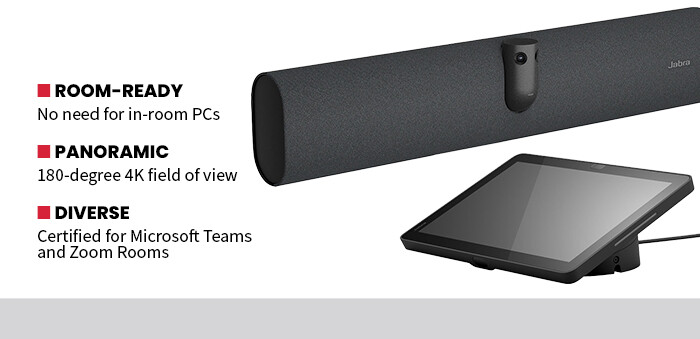
Once operational, the 180-degree panoramic field of view immediately improved the quality of meetings. Small meeting rooms and repurposed offices can create awkward camera angles, especially when participants sit close to the display. But here, the dual-camera system stitched together a wide, distortion-free image that captured everyone around the table without requiring repositioning or careful seating arrangements. Even when participants shifted chairs or stood to present, the framing remained stable.
I set the video feed to full 4K resolution during testing and observed no drops in quality or framerate. Motion stayed smooth during screen-sharing sessions and transitions between speakers. Intelligent framing features and Virtual Director technology dynamically adjusted composition to keep active participants centered, which noticeably improved engagement for remote attendees.
DISCOVER: The top 3 ways to master operational management in multicloud environments.
PanaCast 40 Delivers High-Quality Audio
For presentations or important meetings, the audio quality is as important as video. That was not a problem for the PanaCast 40 VBS, as the six-microphone beamforming array captured voices clearly from multiple seating positions without requiring participants to lean toward the device. Background noise suppression worked well in simulated open-office conditions, and full duplex audio technology prevented clipping during cross talk. All remote participants during my testing reported continuous clarity.
For small businesses, ROI is often tied directly to reducing friction. Instead of assembling separate webcams, microphones and mini PCs, the PanaCast 40 VBS consolidates everything into one device. That simplifies installation and reduces the likelihood of cables coming loose, software updates causing conflicts or drivers failing unexpectedly. Fewer components translate into fewer support calls and less downtime.