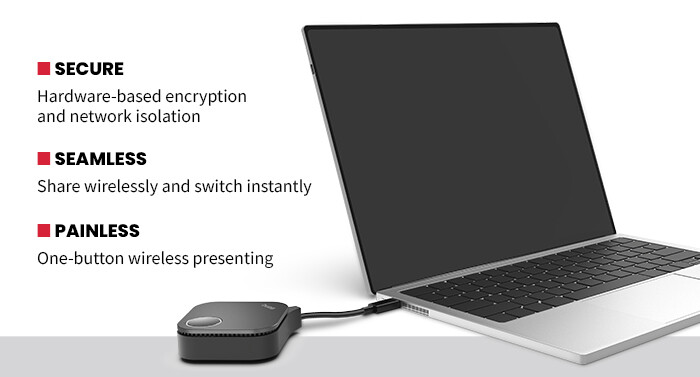
Hybrid work and flexible office environments have made wireless presentation tools a necessity rather than a convenience. Employees expect to walk into a meeting room and share content instantly, without fumbling for adapters or waiting on IT support. The BenQ InstaShow WDC15 4K ultra-high definition (UHD) wireless presentation system is designed to meet that expectation while also addressing business concerns around security, reliability and ROI.
At its core, the WDC15 focuses on ease of use. Presenters simply plug a dedicated HDMI or USB-C connected button into a laptop and begin sharing content wirelessly with a single press. No software installation is required, and there are no logins to manage.
In testing, this approach eliminated the common delays associated with screen-sharing tools and allowed meetings to start on time even if they were called at the last minute. That time savings adds up quickly in busy offices where meeting space is limited, and dedicated conference rooms are in constant use.
Click the banner below to explore the solutions you need to give everyone a seat at the table.
Clear Picture, Secure Connection
Videos and images were both displayed accurately in my testing. The WDC15 flew through video benchmarking trials without marring or downgrading even the most detailed photos, documents, line drawings or videos. The system supports up to 4K UHD resolution, making it suitable for high-quality presentations, dashboards and media-rich content. All motion remained smooth during video playback too, with instant screen transitions and no artifacts. This would be particularly useful for critical sales demos or leadership briefings where visual clarity and a lack of distractions really matter.
Security is another area where the BenQ solution stands out as a tool that businesses can rely on. Instead of depending on software agents or cloud-based streaming platforms for protection, the system uses hardware-based Advanced Encryption Standard 128-bit encryption that operates outside the corporate network. That design choice reduces the attack surface and allows organizations to offer wireless presenting without opening up access to internal systems. For IT teams, this simplifies deployment and lowers long-term management costs.
Many Hands, One Screen
Multipresenter collaboration is also well supported. Up to 16 buttons can be paired to a single receiver, allowing teams to switch presenters quickly during brainstorming sessions or reviews. This fluid exchange helps meetings stay productive rather than getting bogged down in technical transitions.
Another practical benefit is consistency. I tested the WDC15 with Microsoft Windows laptops, Apple MacBooks and Google Chromebooks, and the experience was identical. Standardizing on a simple presentation workflow reduces training needs and avoids having to reconfigure settings whenever someone brings a personal device to a meeting.
SPECIFICATIONS
DEVICE TYPE: Wireless presentation system
MAXIMUM VIDEO RESOLUTION: Up to 4K at 30 fps
INCLUDED INPUTS: Presenter button supports HDMI and USB-C connections
SECURITY: Hardware-based AES 128-bit encryption, network isolation
SUPPORTED DEVICES: Windows, macOS, ChromeOS
SUPPORTED DISPLAY TYPES: Projectors, monitors and large-format displays via HDMI
From a business perspective, the ROI is clear. The WDC15 reduces meeting friction, cuts down on IT support tickets and extends the useful life of existing displays or aging support systems. Because it works with standard HDMI-equipped monitors and projectors, companies do not need to replace hardware to enable wireless collaboration. That flexibility will make it attractive for both small businesses modernizing a few rooms or large enterprises standardizing across offices.
Overall, the BenQ InstaShow WDC15 succeeds by doing one thing very well: removing the technical barriers that often stand in the way of workforce collaboration. Its emphasis on security, ease of use and hardware simplicity makes it a strong wireless presentation option for organizations that want dependable collaboration without increasing IT complexity.