Enterprise networks have always been complex, with different parts of a company often adding resources, apps and hardware as needed to meet their mission goals. The move to cloud has only expanded network footprints, as has the trend toward more remote and hybrid offices. In environments such as those, troubleshooting network issues, whether they are localized or widespread, can be extremely tricky.
Thankfully, the HPE Aruba Networking Central platform helps with everything from network planning to troubleshooting and efficiency improvements. It’s available as a service through either a public or private cloud, with an on-premises version available for highly secure environments.
The base platform has been around for several years, but it recently got a complete overhaul. HPE Aruba Networking Central now has one of the most comprehensive and user-friendly interfaces of any networking management tool I have ever tested. It also fully incorporates artificial intelligence, which can help diagnose problems and even suggest step-by-step solutions to get everything back online following incidents.
Click the banner below to learn the benefits of modernizing your network.
Diagnosing Network Health Quickly
Right from the top-level home screen, the platform displays every key indicator of network health. Administrators can quickly see how all of their access points, applications and clients are performing, as well as which devices are experiencing connection or security issues. Clicking on any of those major fields will drill down to examine individual problems.
The AI is extremely helpful when diagnosing issues. For example, in my test network, I was able to see how a certain application was causing bandwidth issues with an AP. I could then overlay a map of the office with color-coded zones showing what areas were most affected. The AI also showed how to fix the problem and suggested new security policies I could apply to prevent similar issues in the future.
UP NEXT: Explore how one network delivered a powerful end-user experience.
Optimizing Networks to Save Power and Bandwidth
Beyond troubleshooting, the platform is also useful for network optimization and planning. It could tell me, for example, that several APs in the test network were not being used over the weekend or at night, so they could be powered down to conserve energy and bandwidth without affecting anyone’s performance. It also showed me some areas of the network that needed improvement and gave suggestions on how to do that.
Finally, while the platform was initially designed to manage Aruba devices, it has recently been expanded to include just about any kind of networking equipment from any manufacturer. It does this by reading the information provided by those devices and translating it for incorporation with the Aruba Central interface.
Managing enterprise networks has never been easy, and it is only going to get more complex. Having a highly trained and specialized platform such as HPE Aruba Networking Central can tame networking chaos while also helping IT leaders plan for an increasingly challenging future.
Cranking Up the Time Machine
It’s one thing when a portion of a network goes down and IT teams can jump right in, diagnose the problem and get things fixed. The HPE Aruba Networking Central platform can certainly help with that. But what happens when problems occur intermittently or go unreported? Normally, it’s not possible — or, at least, not easy — to collect relevant data if the trouble is not actively occurring.
But those issues are not a problem for the HPE Aruba Networking Central platform. Why? Because platform users have access to a time machine.
The innovative time machine feature automatically captures performance data and other information about every device operating on a protected network. And because the platform is cloud-based, there is no limit to how many devices can contribute data to that pool.
SPECIFICATIONS
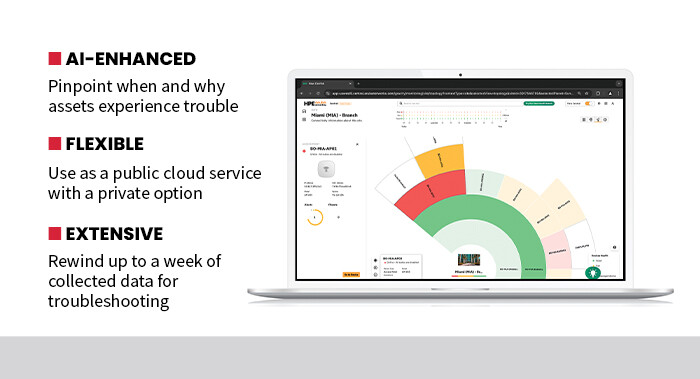
AI-ENHANCED: Pinpoint when and why assets experience trouble
FLEXIBLE: Use as a public cloud service with a private option
EXTENSIVE: Rewind up to a week of collected data for troubleshooting
EXPLORE: What your organization needs to know about Wi-Fi 7 infrastructure.
Administrators who need to look at previous performance metrics can launch the time machine feature and rewind all of their captured networking data back to when a problem first happened, or when an anonymous networking event such as an unexplained slowdown was actively occurring. All of that information is held for up to seven days and is extremely detailed. In fact, IT teams can diagnose and parse that data down to the minute.
Just like with the live reports, the minute-to-minute snapshots provided by the Aruba platform are highly detailed. Users not only see where any trouble spots were located, but also what users, groups, hardware and applications were affected. You can then walk forward in time to see why and how a problem grew worse, or backward to determine what might have contributed to the issue in the first place.
Having seven days of data available to diagnose network issues is a great asset when troubleshooting. You can also access older snapshots of information, but beyond seven days the data is aggregated to save space. For example, you might get only hourly snapshots from a month ago — but that’s still helpful if you need look at trends over time, and it strikes a good balance between usefulness and the number of resources devoted to continued archiving.