Why Hybrid Meetings Fail Without the Right Hardware
The biggest mistake small teams make is assuming that basic webcams and a TV are good enough for hybrid collaboration. In reality, hybrid meetings place far greater demands on room technology than pre-pandemic setups ever did.
The goal today is meeting parity: making sure people feel equally seen and heard whether they’re in the room or joining remotely. That requires more than a static camera pointed at a conference table. Neat’s systems, for example, use automated camera framing and audio driven by artificial intelligence to adapt dynamically to what’s happening in the room.
Dynamic framing and speaker tracking ensure remote participants can clearly see who is talking, rather than staring at a wide shot of a table. Dynamic framing chooses the camera view that best shows all participants in the room, adjusting as people enter, leave or move around. Framing boundaries prevent hallway traffic or passersby from accidentally becoming part of the meeting.
Audio is just as important. In fact, many customers tell me that voice quality matters more than video. People who can’t hear the meeting clearly are not really in the meeting. Neat’s microphone arrays and noise suppression capabilities are designed to capture voices naturally, even when multiple people speak, while filtering out distractions.
When these elements work together, remote attendees stop feeling like tiny tiles on a screen and start participating naturally.
LEARN MORE: Get the help you need to create a sublime work-anywhere experience for your team.
Designing Meeting Rooms for Simplicity and Adoption
Another common pitfall is overthinking (or underthinking) the room itself. Effective collaboration starts with understanding how the space will be used.
Room size, ceiling height and layout all matter. These factors influence whether ceiling microphones make sense, how many cameras are needed and where displays should be mounted for eye-level engagement. But beyond the physical space, small businesses need to think about how people actually work in these rooms.
That’s why I often recommend interactive whiteboards, including the Neat Board 32 and the Neat Board 50, over traditional TVs. We use TVs for entertainment. In meeting rooms, people need to collaborate. Interactive boards allow one-touch meeting joins, wireless content sharing and real-time annotation. They remove friction and lower the barrier to adoption, especially for nontechnical users.
Neat’s all-in-one designs also reduce complexity behind the scenes. By integrating cameras, microphones, speakers and controllers into a single solution, they minimize cabling and configuration headaches compared with piecemeal AV systems. For small IT teams, fewer components mean fewer failure points.
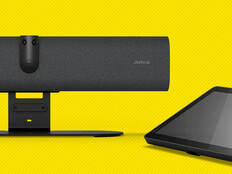
Room schedulers add another layer of efficiency. The Neat Pad can be set up outside a room, functioning as a scheduler for that room and showing its availability, preventing interruptions and eliminating confusion about whether a space is booked or merely occupied by someone’s forgotten laptop bag.
Click the banner below to explore our new publication BizTech: Small Business.