Advanced Functions Enhance Content Management
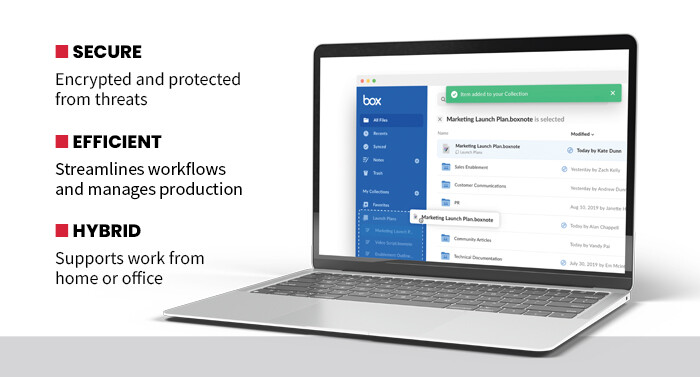
At its heart, Box is a cloud-based content management and file-sharing platform that enables organizations to store, access and collaborate on just about any kind of document or file type, regardless of a user’s physical location. It supports many functions, such as secure file storage, real-time collaboration (with full integration to most other collaboration programs a business might be using), productivity tools, workflow automation and even agentic artificial intelligence.
None of those functions are difficult for either administrators or users to learn. Administrators can learn the most advanced features with a few days of training. Users probably need just a single session to learn how to work within their part of the platform.
SPECIFICATIONS
SOFTWARE TYPE: Cloud-based content management platform
DEPLOYMENT: Through Software as a Service or an appliance
FEATURES: Content collaboration, file sharing, storage, automation, e-signatures, metadata management
INTEGRATED SERVICES: 1,500 integrations, including ServiceNow, Salesforce, Google Cloud, Microsoft Azure and Amazon Web Services
LICENSE: 50 users, annual recurring or perpetual
Almost all content-related tasks a user would need for daily work can be accomplished within the Box interface. This includes content management, hosting collaboration meetings, adding e-signatures to documents and web publishing. Box also fully integrates with more than 1,500 platforms, which means content made outside of Box can be accessed, protected and edited within the platform.
LEARN MORE: How training your team can improve productivity in your organization.
Zero-Trust Solutions for Securing Digital Assets
Security is paramount in business, and Box provides that with a zero-trust environment that ensures users are given access only to what they need for their work, and only for the time they need it. All data is encrypted and secured, both in storage and during collaboration sessions. For the most part, this security is hidden from regular users. I never felt that the security features were hindering me from using the platform, and it should fit in easily with other security frameworks most enterprises use.
For my testing, I simulated three small work groups set up in different locations. Each group was provided with a different set of standard office tools to mimic the ones that employees might be using across a large enterprise. I was pleasantly surprised to see how easily Box was able to tie all of those groups together.